
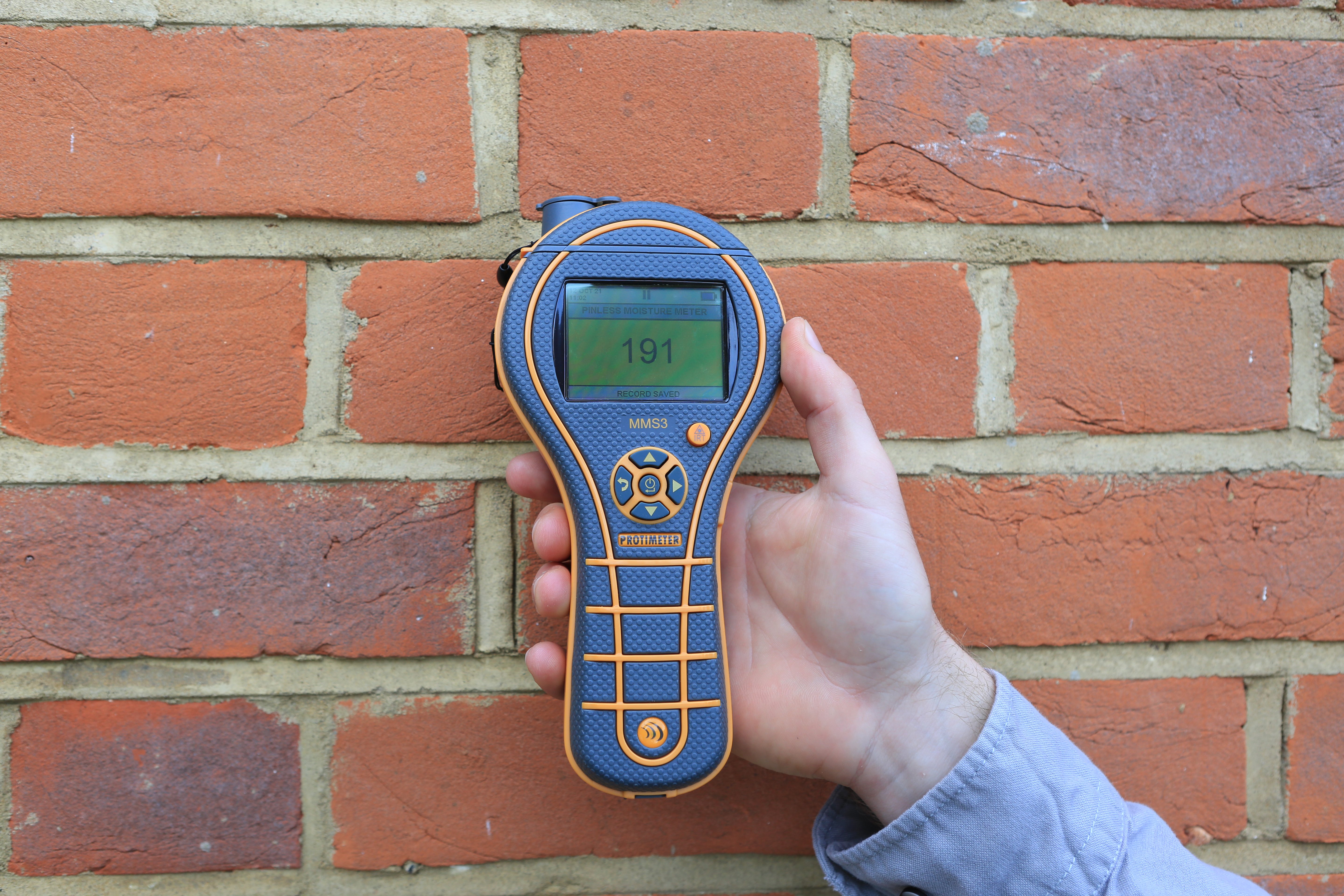
Scan Mode readings always throw people off.
The numbers look precise, but they don’t line up with anything familiar like moisture percentage or relative humidity. That’s where the confusion starts, especially when you need to explain your findings to someone else.
Most explanations focus on how a pinless moisture meter works and what affects pinless moisture meter accuracy. That part is straightforward. What’s often missing is how to interpret the readings during an inspection.
The difference comes down to how Scan Mode is meant to be used. Once that clicks, the numbers start to make a lot more sense.
How Does a Pinless Moisture Meter Work?
A pinless moisture meter uses electromagnetic signals to detect moisture beneath the surface of a material.
Instead of penetrating the material, it scans an area and evaluates moisture within a certain depth. That makes it fast and non-destructive.
What it does not do is give you a direct moisture content reading.
Here’s the distinction:
|
Meter Type |
What It Measures |
Output |
|
Pin Meter |
Electrical resistance |
Moisture content (WME or %) |
|
Pinless Meter |
Moisture presence within a volume |
Relative reading |
A pinless moisture detector is built for screening, not direct measurement.
Why Pinless Moisture Readings Are Relative
Scan Mode readings are relative by design. That’s the part that tends to trip people up.
The number on the screen is not a moisture percentage. It doesn’t convert to %RH. It reflects how the material responds to the meter within the scan area.
That response changes based on what you’re scanning.
Material density plays a big part. Drywall, wood, and concrete will all produce different baseline readings, even under similar conditions. A dry piece of drywall might read around 90 - 100 on the meter’s relative scale, while other materials may sit higher or lower.
Because of that, the same level of moisture can produce different numbers across materials and helps explain why readings differ across materials.
What matters is how the reading compares to what’s normal for that surface.
What to keep in mind:
- Changes in readings matter more than the number itself
- The number represents a response, not a percentage
- Different materials produce different baseline readings
- The same number can mean different things on different surfaces
A reading of 200 is not twice as damp as 100. What matters is the change between readings.
A section of drywall that reads at 120 and then jumps to 200 a few feet away is telling you something changed. That shift is what you’re looking for.
Scan Mode Is a Screening Tool, Not a Confirmation Tool
The scan helps you find where to focus and narrow down areas of concern.
It’s built for speed and coverage, not final answers. During an inspection, that matters. You’re often working across large areas where moisture isn’t immediately visible.
A pinless moisture detector lets you move quickly and identify areas that need attention and locate moisture in walls without damage. This is where noninvasive moisture meters stand out during an inspection.
Typical workflow:
- Scan large surfaces like walls, floors, and ceilings to scan a wide area and look for patterns
- Watch for rising readings or unusual patterns
- Narrow in on areas that stand out
Once something looks off, that’s when you slow down.
At that point, you may:
- Take additional readings in the same area
- Use a pin meter to confirm moisture presence
- Look for visual or structural signs of moisture
This approach keeps the process efficient without sacrificing accuracy.

Comparing Wet and Dry Areas: The Most Reliable Way to Interpret Readings
Interpreting these readings comes down to comparison.
Start with a surface you believe is dry. Take a reading and use that as your reference point. From there, move across the material and watch how the readings change.
You’re not chasing a target number. You’re watching for deviation.
A consistent reading suggests uniform conditions. A noticeable increase points to a potential issue.
A simple way to approach it:
- Find a dry baseline on the same material
- Move steadily across the surface
- Pay attention to gradual increases
- Stop and recheck areas where readings jump
For example, drywall that sits around 100 and then rises to 140 - 150 in a localized area signals a change in moisture conditions.
That change is what guides your next step.
Factors That Can Influence Pinless Moisture Meter Readings
These readings are influenced by what’s inside or behind the material, including factors that can cause false readings. Knowing what to look for helps you avoid false conclusions.
Material Variation
Different materials behave differently.
- Drywall, wood, and concrete all have different baselines
- Density and composition affect readings
- Subsurface layers can influence results
Stick to comparisons within the same material whenever possible.
Hidden Metal
Metal causes sharp spikes in readings.
Common sources include:
- Nails and screws
- Pipes
- Ductwork
- Mesh behind walls
A sudden jump followed by a quick drop as you move the meter usually points to metal, not moisture.
Surface vs. Subsurface Moisture
Pinless meters read below the surface.
If moisture is only on the surface, the reading may stay lower than expected. This can happen with condensation or recent exposure to water.
A quick visual check helps confirm what’s happening.
User Handling
How you use the meter affects the results.
- Moving too quickly can miss changes
- Skipping baseline readings removes context
- Scanning over incompatible materials can distort readings
Small adjustments in technique improve consistency.
Where Scan Mode Readings Go Wrong (and How to Avoid It)
Most issues don’t come from the meter. They come from how the readings are interpreted in the field.
These are the patterns that tend to cause confusion.
Treating Readings Like Moisture Percentages
A reading of 140 feels like it should mean something concrete. It doesn’t.
The meter shows a response, not moisture content. Treating it like a percentage leads to bad calls.
Watch for:
- Trying to convert readings to % or RH
- Making decisions from a single number
Use the reading to compare areas, not define them.
Comparing Readings Across Different Materials
Numbers don’t carry over between materials.
A 100 on drywall is not the same as a 100 on concrete. Each surface has its own baseline.
- Reset your baseline when materials change
- Compare within the same material only
Skipping Baseline Readings
Without a baseline, the numbers don’t mean much.
You need a reference point to know what “normal” looks like.
Take a quick dry reading first. Then scan from there.
Ignoring Sudden Spikes
Not every spike means moisture.
Metal behind the surface can push readings to the top, then drop off just as fast.
- Sharp jump then drop → likely metal
- Gradual rise → more consistent with moisture
Watch the pattern, not just the number.
Moving Too Quickly During A Scan
Fast scans can hide changes.
If you move too quickly, readings blend together and problem areas are harder to spot.
Slow down when numbers start to rise.
Relying on Scan Mode Alone
It helps you locate an issue. It doesn’t confirm it.
- Use it to find areas of concern
- Follow up with a pin meter or inspection
Getting Reliable Insights From Pinless Moisture Readings
Understanding how a pinless moisture meter works makes Scan Mode readings easier to interpret.
They’re built to highlight differences, not define them. When you compare readings across the same surface and pay attention to how they change, the results become easier to work with.
That clarity carries through the rest of the inspection and into how you report your findings.
Take the Next Step in Moisture Assessment
Download our free guide to measuring damp in buildings and build on what you’ve learned here in the field.